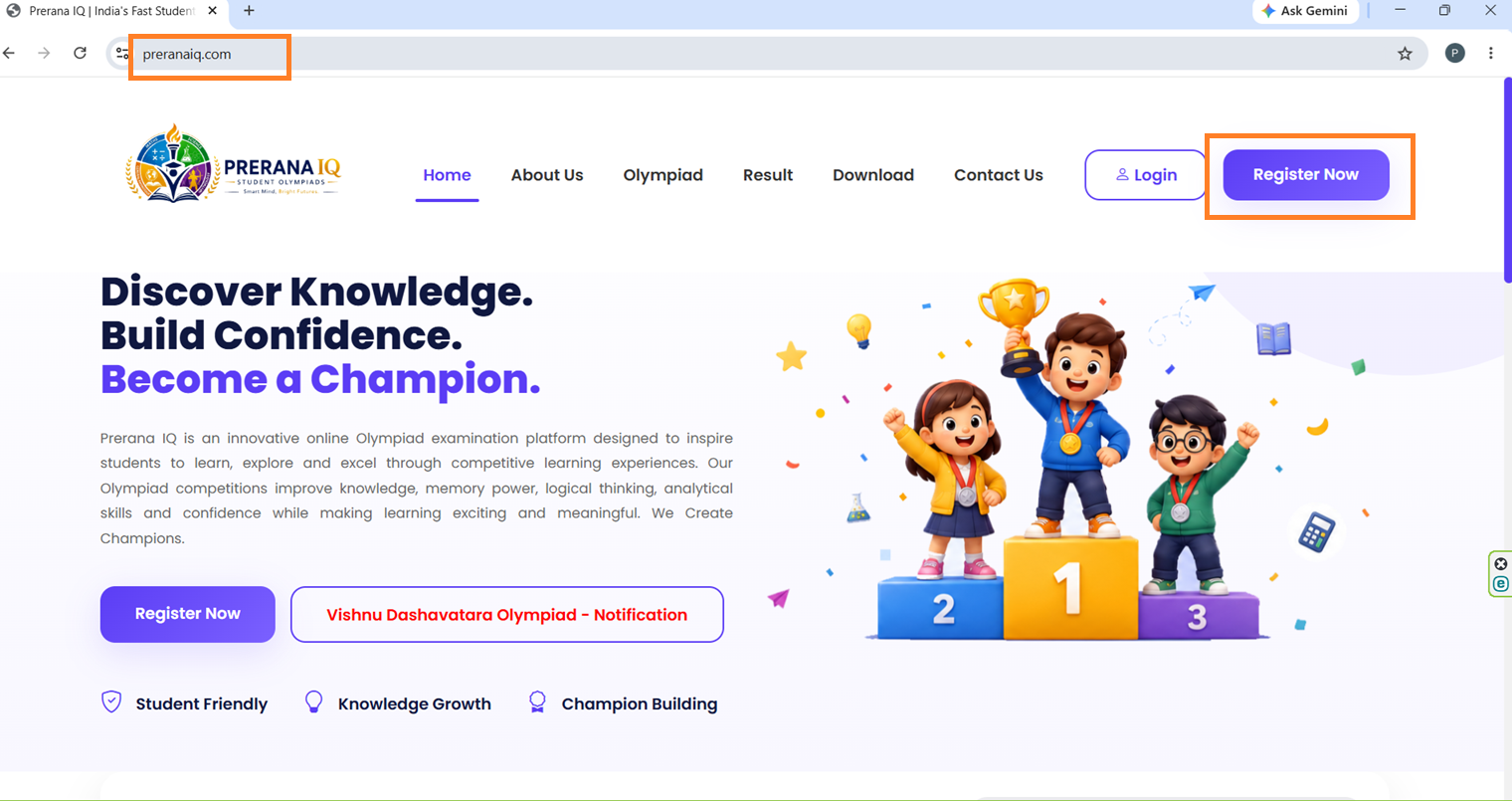
1. Go to your web browser (Internet Explorer/Chrome), type www.preranaiq.com in the address bar, and press Enter. The PreranaIQ website will open. Then click the Register Now button
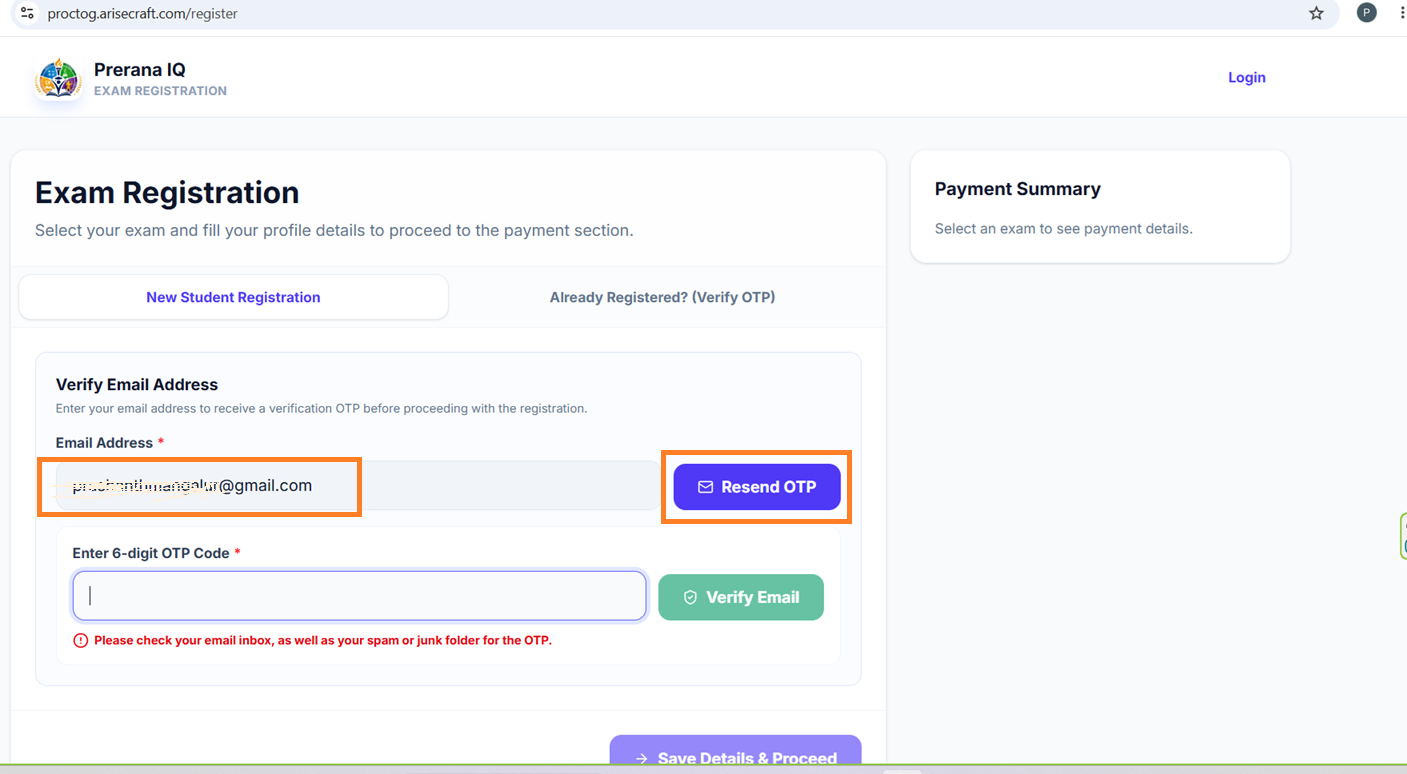
2. After clicking the Register Now button, the Exam Registration Page will open. Enter your email ID in the E-mail Address field and click the Get OTP button.
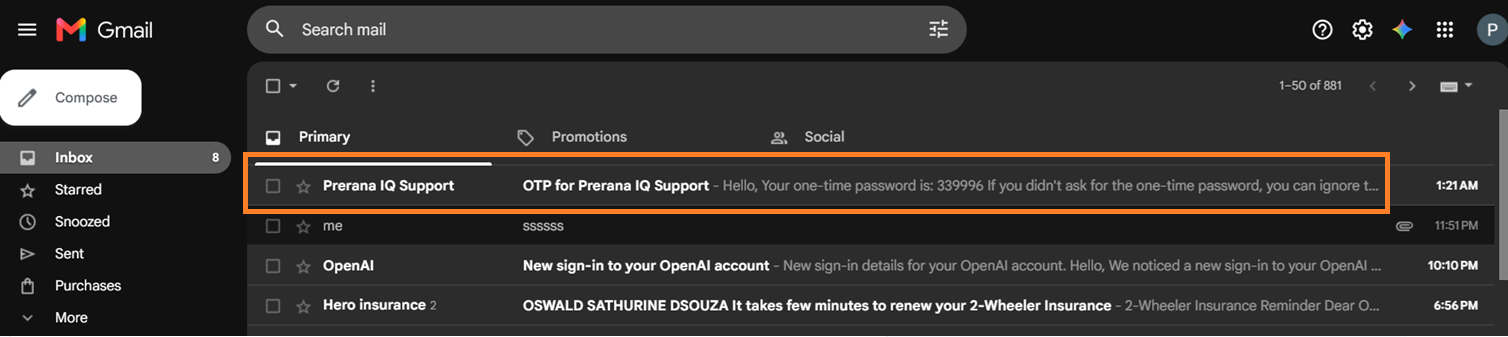
3. After clicking the Get OTP button, a verification code will be sent to your registered email ID. Open your email account, check for the OTP email in Inbox/Spam, open it, and copy the OTP to continue the registration process.
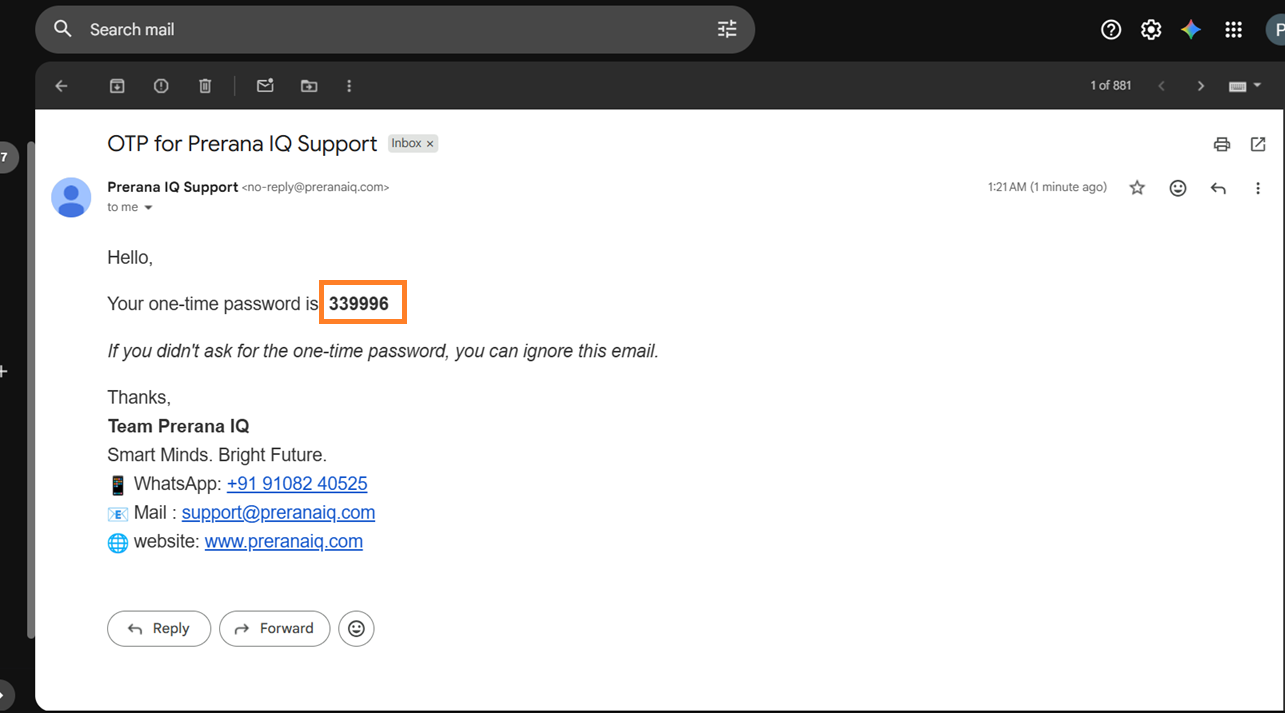
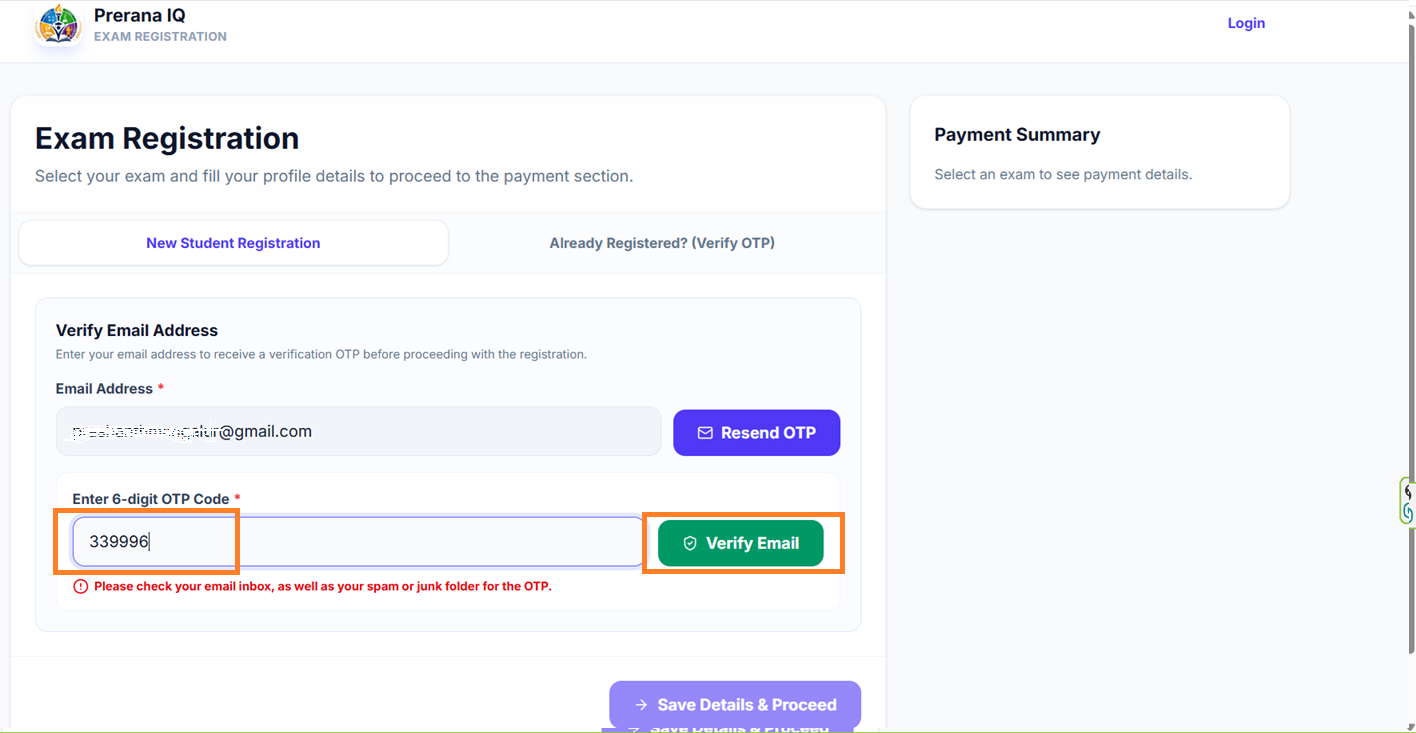
Once you receive the verification code in your email, copy the OTP and enter the 6-digit code in the Enter 6-digit OTP Code field, then click the Verify Email button.
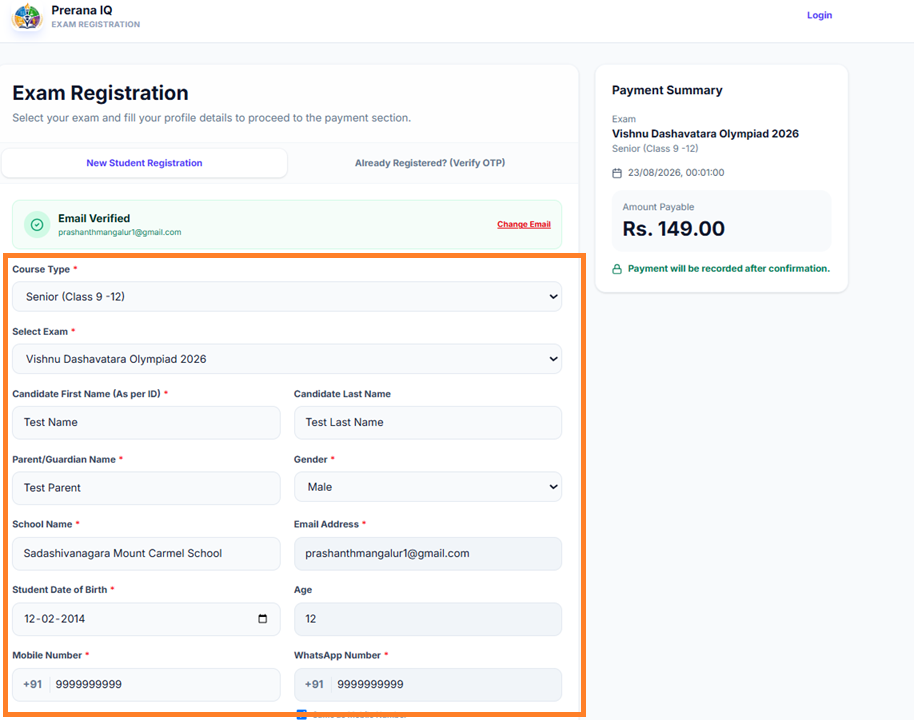
After successful email verification, complete all the mandatory fields provided above. Once all required information has been been entered, click the Save Details & Proceed button to proceed to the next step.
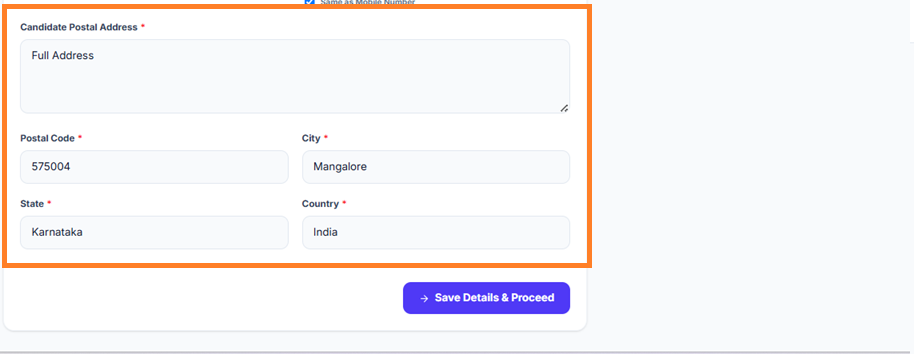
Once you click the Save Details & Proceed button, you will be redirected to the payment page. Your payment status will be displayed as Pending. Click the Pay Now button to proceed with the payment.
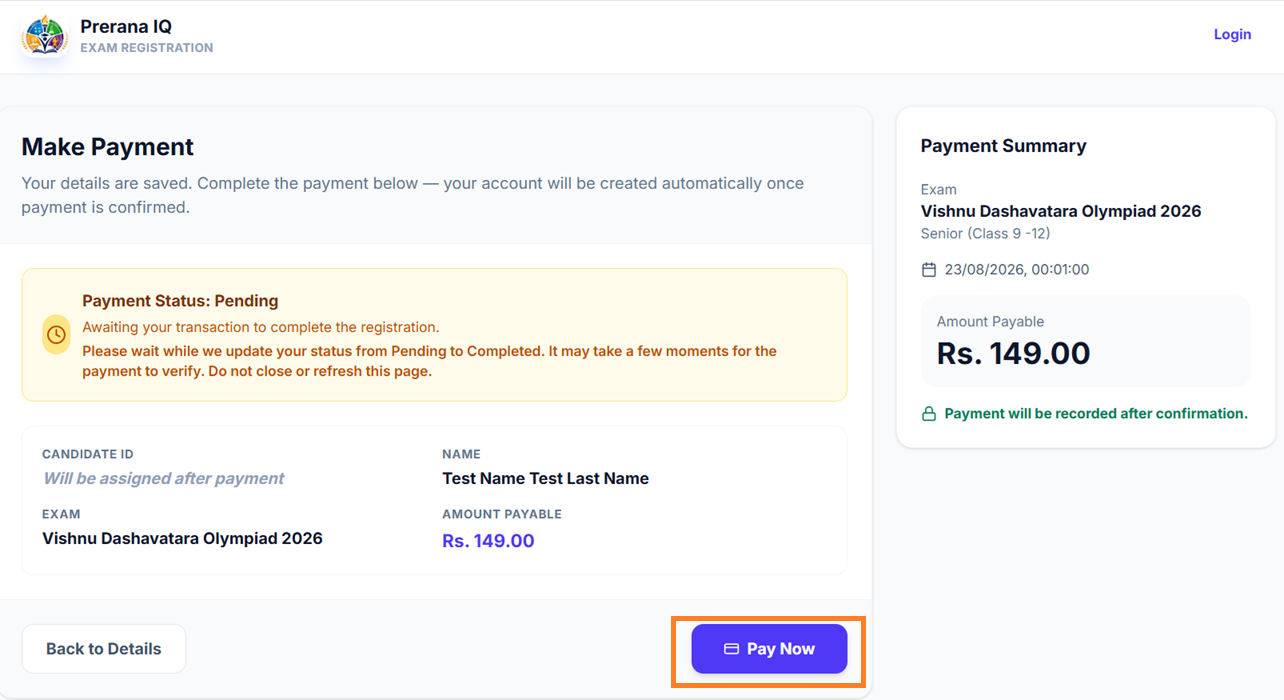
After clicking the Pay Now button, you will be redirected to the secure payment gateway. You can choose your preferred payment method, including UPI (Google Pay, PhonePe, Paytm, etc.), Net Banking, or Debit/Credit Card. Select your preferred payment option and complete the payment to finish your registration.
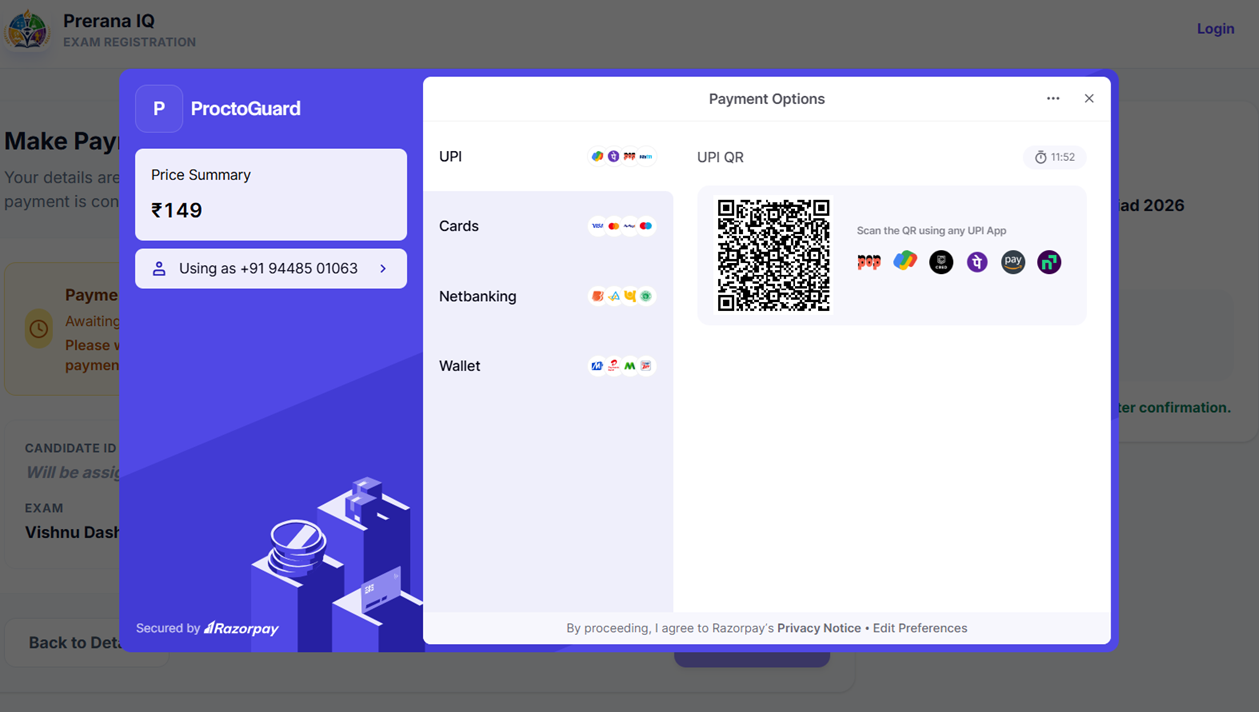
After successful payment, you will be automatically redirected to the Registration Completed page. Your exam credentials will be sent to your registered email address. Please check your Inbox and Spam/Junk folder if you do not receive the email in your Inbox.
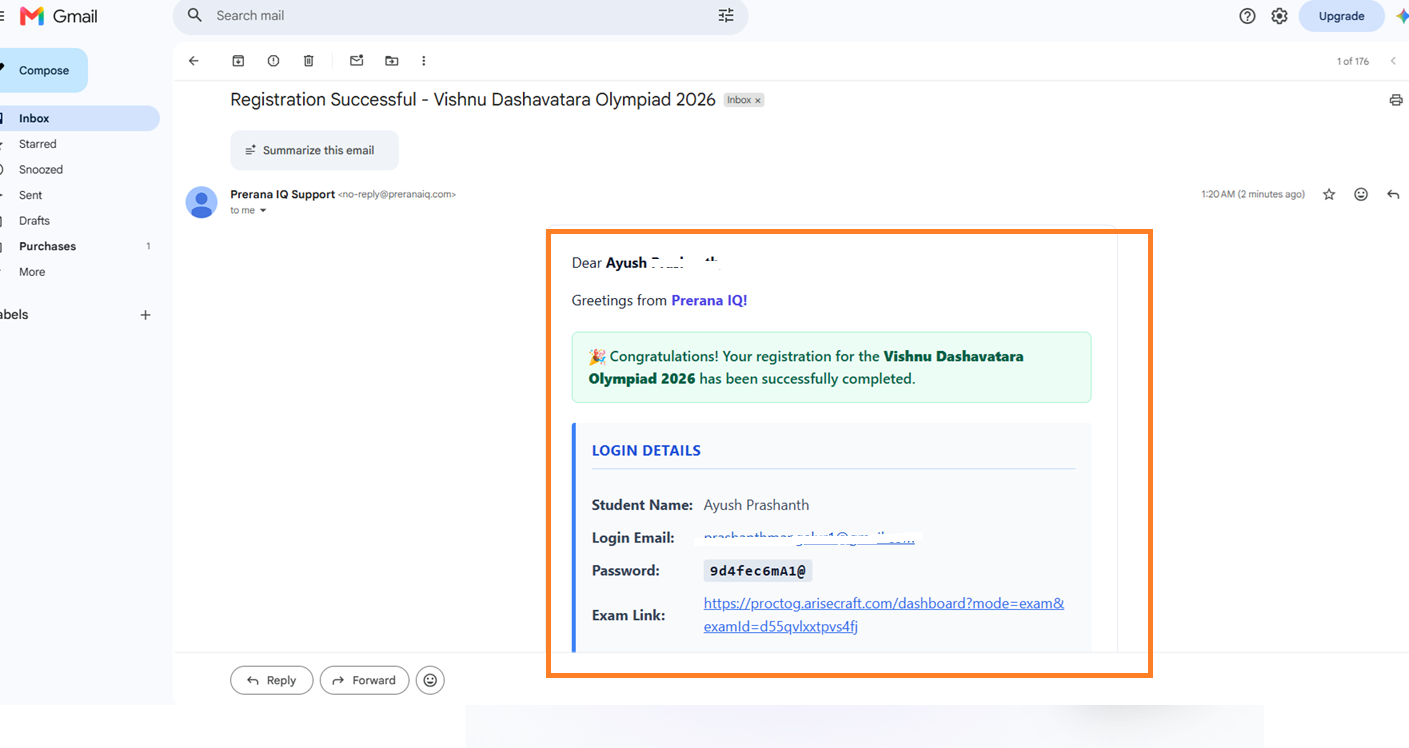
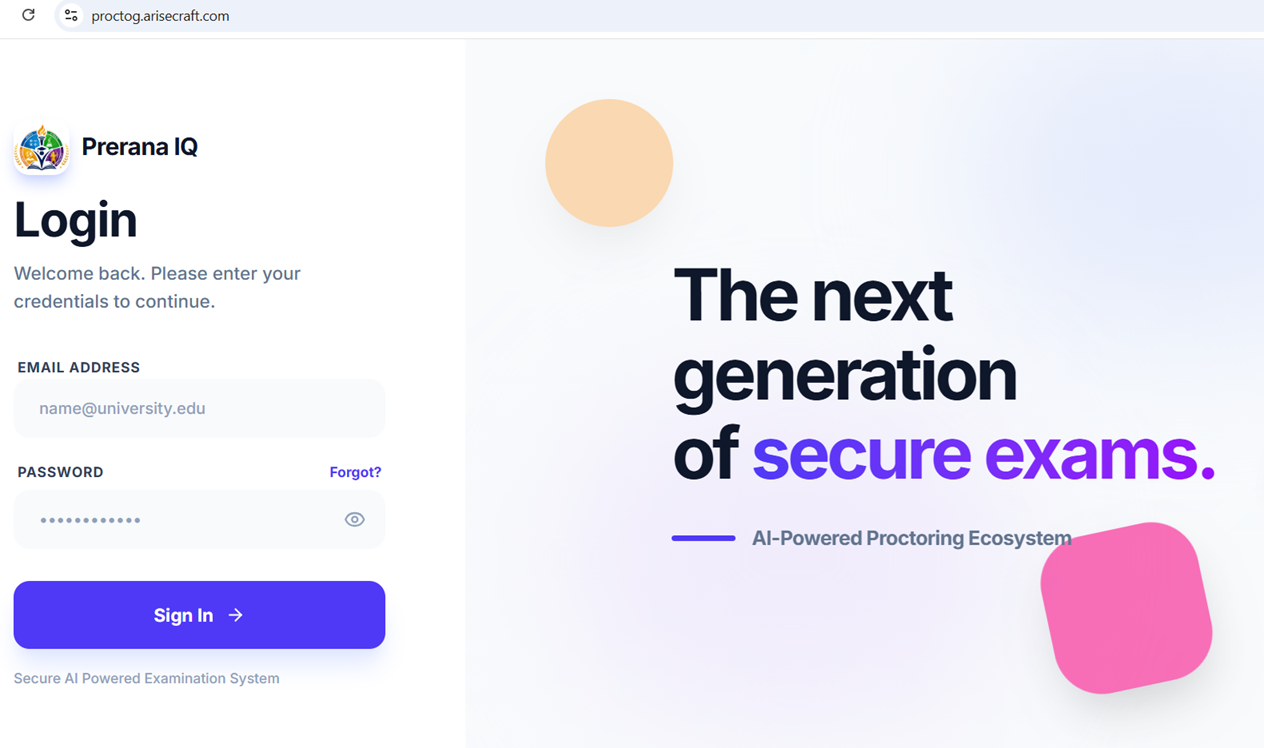
After receiving your exam credentials, you can log in by clicking the Login option on www.preranaiq.com or by using the Login link provided in your credential email. Enter your assigned Username and Password, then click Login to access your student portal successfully.
If you continue to experience any issues during registration, please refer to our YouTube Registration Video Tutorial for step-by-step guidance.
How to Register : Click Here
How to Take a Mock Test: Click Here